There are many softwares to convert from one file format to other! Like pdf to doc, ppt to pdf etc etc. .
Here is a unique and first of its kind software which converts your powerpoint presentations(.ppt, .pptx) into DVD format(.vob) so that you can watch the converted presentation in your TV. Now thats cool .!
Overview of PowerPoint to DVD converter
Wondershare PPT2DVD Pro is a program that enables users to convert PowerPointpresentations to DVD videos or popular video formats and even HD videos. The final output will retain all features from the original PowerPoint presentations, such as animations, transitions, sounds, and video clips between slides.After burning PowerPoint presentations to DVD, you can view the presentation on TV through DVD player with ease.
Main features:
- Converts PowerPoint presentation to 130 popular video formats such as AVI, WMV, MOV, MPEG, etc.
- You can Burn up to 12 PowerPoint presentations to DVD at one time.
- Before converting PowerPoint to DVD, you can choose to play it like a movie in the auto mode, or navigate it by remote control in the manual mode.
- You can add your logo to the output to personalize the Presentation after being converted to DVD.
- Built-in DVD Burner enables you to burn the separate output (ISO) to DVD to make copies
System Requirement
- Microsoft PowerPoint 2000/2002/2003/2007/2010.
- Operating System: Windows XP/Vista/7, Windows Server 2008
- RAM : 256MB RAM or above. Recommended 1GB+
- Available Disk Space: 2 GB Free Space, 20GB or larger is recommended
- Other Requirements: Windows-compatible display with at least 1024 x 768 resolution, Windows-compatible sound card (highly recommended for retaining sounds), PowerDVD or RealPlayer (for playback on computer), DirectX 9 or above
Now Let's do a review of it!
You can download the software from
here. Software is around 19MB in size, so should be able to download quickly.
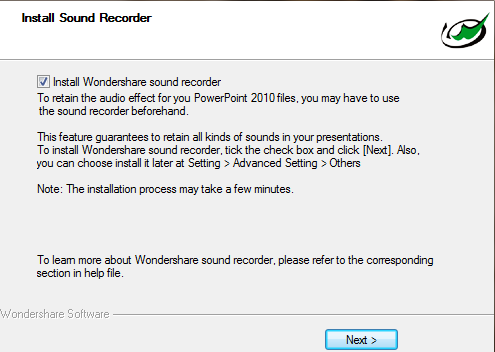
The installation of the software is very easy and installation is pretty fast. So thats good start! Also during installation you can install Sound Recorder which allows you to add voice narration to the presentation DVD.
After installation is complete, we lauched the program. You can try the software as trial version for 30days before buying, if you already bought it then register the software.
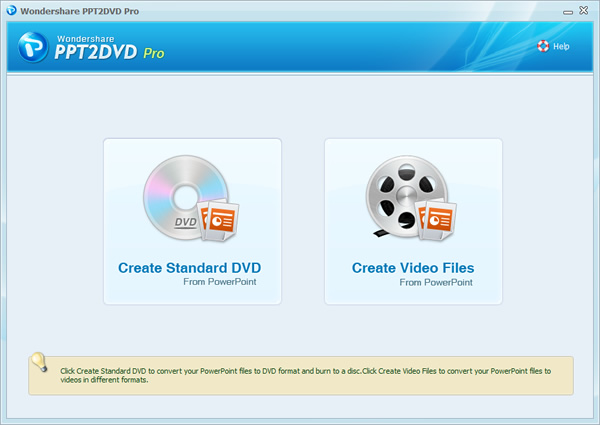
The main interface appears as below
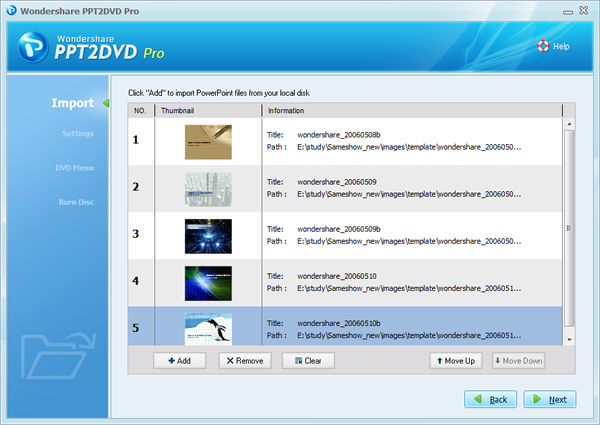
Now add the ppt files under import option. You can select up to 12 different PowerPoint presentations at once. Click next after selecting the ppt's.
Now there are lot of features available for creating your PowerPoint DVD. You can add a logo, add different colors, and change margin sizes of the final video presentation. As you can see you can select different settings before conversion such as quality, background music, layout settings.
Select the aspect ratio, and choose whether converted video should be played by manual control through remote or automatically
Select title, template for your video
Select the output folder and if you want t burn DVD into disc you can do so by checking burn to disc
Conversion process is quite fast
After successful conversion you will get the message as
It took around 45MB of RAM for conversion process, which is quite ok. And the conversion took around 3mins( i used ppt with 19 slide having animation, graphic, image and text)
 |
| task manager |
|
Now if you want convert ppt to video formats you can do it so, select
create video files in the main interface and proceed by selecting the format you want
Select the resolution that is supported by the device on which you play the video.
Conversion completes smoothly!
You can also set the program for auto updates
Finally, our Rating out of 10
- Installation: 9
- Ease of Use: 8
- Features: 8
- Performance:9
- Product Support: 8
Bottom Line:
Trial version creates a watermark in the converted video showing its not registered, which is disappointing. Overall It is a very good software if you want your presentations to be converted into DVD. Go and get your copy now, click here.



Join The Community